
Prerequisites — before implementing Similar Products, complete the Cookie consent and Installation steps on the JS Library page. Kleep must not load until the visitor has consented via your CMP, and the library must be loaded site-wide.
Similar Products is available on demand and is not linked to sizing. If you’re unsure whether this feature is enabled for your account, contact your Kleep representative.
What Similar Products does
When a size on a product page is out of stock, Similar Products displays a View similar CTA. Clicking it opens the Kleep drawer with relevant alternatives the shopper is likely to buy — an on-page cross-sell that recovers otherwise-lost conversions.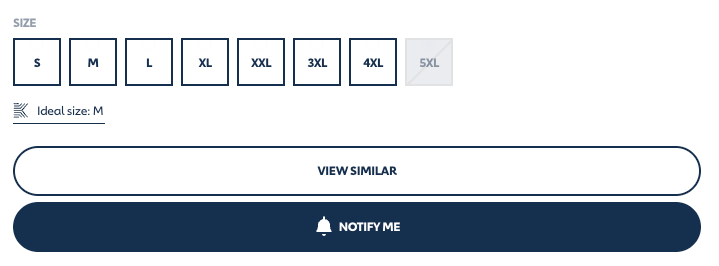
The "View similar" CTA on a product page (JOTT)
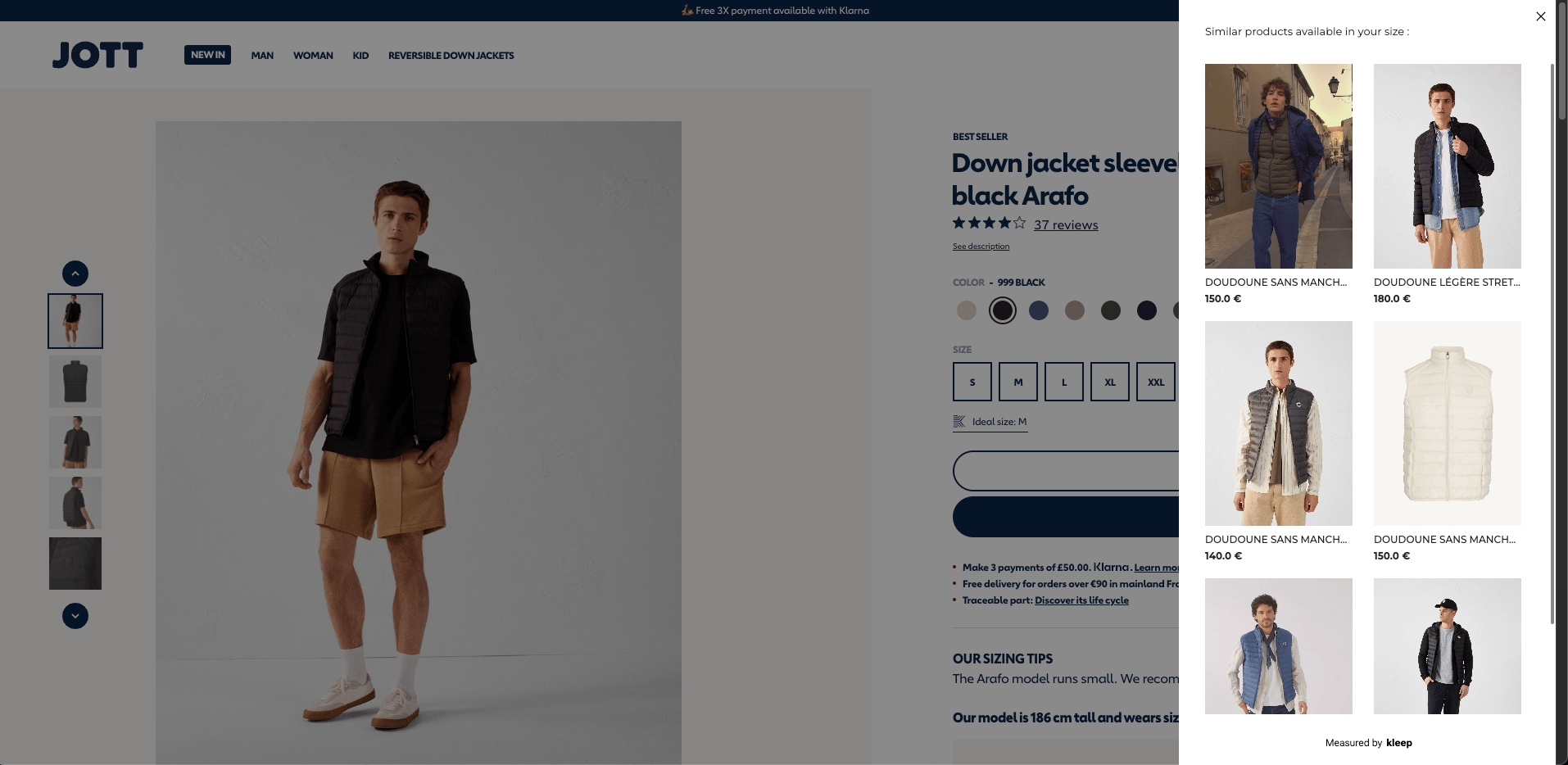
The drawer that opens when a shopper taps "View similar" (JOTT)
CTA display options
You can render the CTA in two ways:- Option 1 — Fixed CTA: a solid, always-visible button on the PDP (like the example above).
- Option 2 — Hover CTA: a button that appears when the shopper hovers an out-of-stock size selector.
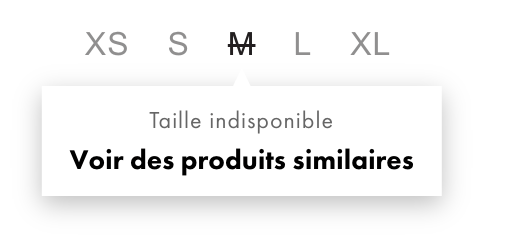
Option 2: the CTA appears when hovering an out-of-stock size
How to implement
Step 1: Choose your option(s) Decide whether you want the fixed CTA (Option 1), the hover CTA (Option 2), or both. Step 2: Configure Option 1 (Fixed CTA) Add a button element where you want the CTA to render:kleep.load call with a selectors.similarProducts.fixed entry:
kleep-sp-hover class to each of your size selector elements and set data-variant-id to the corresponding variant ID:
kleep.load call:
Build your own CTA with kleep.showSimilarProducts
If neither preset fits your layout, call kleep.showSimilarProducts(variantId) directly to open the drawer from any element you control:
variantId and opens the Kleep similar-products drawer for that variant.